Fish Spins login – accessing your casino account
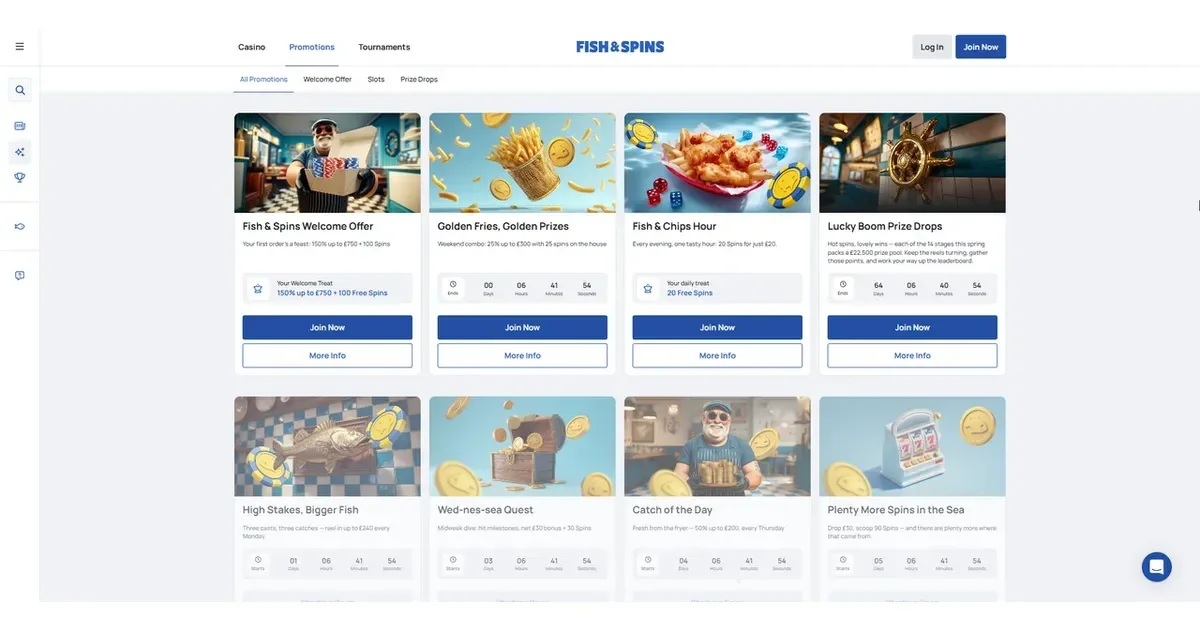















This page explains how to sign in to a Fish Spins casino account and what to do when access fails. We run an independent information portal at fishspins.uk; the operator runs the casino at its own domain, where your account lives. We cannot log you in, recover a password, or unblock an account – those are operator functions, and the operator's own support team handles them.
The boundary between this portal and the operator
fishspins.uk publishes reviews, terms breakdowns and player guidance about Fish Spins Casino. The operator holds all player accounts, processes deposits and withdrawals, and controls access to the platform. Any login box, username field or password prompt you see belongs to the operator's own domain, never to this one. We do not collect credentials, we do not store session tokens, and we have no access to your balance or play history.
If you need to reach your account, you do so at the operator's site. If something goes wrong there, the operator's support channels are the only door that opens it.
Why a login is refused
Most access failures come down to a handful of causes, and working through them in order clears the majority without needing support.
Wrong credentials. A mistyped email address or password is the single most common block. Email addresses are case-insensitive, but passwords are not – check caps lock, check the character you thought was a zero is not an "O", and make sure autocomplete has not filled an old value from a different site.
Unverified account. Some operators require email or phone confirmation before first sign-in. If you registered but never clicked the link in the welcome message, the account exists but login is locked until you do. Check your spam folder – confirmation emails land there more often than they should.
Browser session or cookie problem. A stale session or a blocked cookie can stop the sign-in flow dead. Clear your browser cache, try a private/incognito window, or switch browsers entirely. If it works there, the issue was local to your device rather than with the account itself.
Verification hold. The operator may freeze access while checking documents. Fish Spins requires identity documents in the Latin or Cyrillic alphabet, and requests video verification when a player cannot provide them in those scripts. A hold of this kind is temporary – you will be told it is in place, and access returns once the check completes.
Self-exclusion. If you previously requested a break under responsible gambling tools, login is refused for the duration you set. This is by design, not a fault – the block is there because you asked for it, and attempting to circumvent it defeats the point. If circumstances change and you need to discuss it, contact the operator's support team directly, though they will hold to the original term in most cases.
Regional restriction. The operator accepts players only from jurisdictions where online gambling is explicitly legal. If you are travelling or using a VPN, the platform may block access based on the IP address it sees. Fish Spins does not publish a list of accepted countries in its terms, so eligibility is confirmed at registration rather than stated in advance.
How access works at Fish Spins
Signing in is a two-field process: the email address you registered with, and the password you chose. The operator's site opens on a homepage carrying a "Sign In" or "Login" button – usually top-right on desktop, inside a menu icon on mobile. Click it, enter your details, and you land at your account dashboard.
Good to know: the operator does not publish information about two-factor authentication, biometric login, or app-based sign-in in the terms we reviewed. If those features exist, they will be offered when you reach the operator's own login screen – we have not been told about them here, so we cannot describe how they work.
Once you are in, the session stays open until you log out or the browser closes it. The length of an idle session is not stated in the terms, but most platforms expire them after 15–30 minutes of inactivity for security reasons.
Resetting a password the safe way
If you have genuinely forgotten your password – rather than mistyped it – the operator provides a recovery route. Look for a "Forgot password?" or "Reset password" link below the sign-in fields. Click it, enter the email address tied to your account, and the operator sends a reset link to that inbox.
Check the sender carefully. A legitimate reset email comes from the operator's own domain. If it arrives from an unrelated address, or if the link inside it points somewhere unfamiliar, do not click it – delete the message and start the reset flow again from the operator's homepage. Phishing attempts are common around password recovery, and they look convincing.
The reset link expires – usually within an hour or two – so use it as soon as it arrives. Choose a new password that differs from the old one, and store it somewhere secure rather than reusing the same string across multiple sites. If the reset email never arrives, check your spam folder first, then contact the operator's support team to confirm the email address on file matches the one you are sending to.
Holds, checks and self-exclusion at Fish Spins Casino
The operator reserves the right to check a player's identity before processing payouts, and may hold access during that check. If you are asked for documents, upload them through the account dashboard – navigate to My Account, then Documents. Fish Spins accepts ID, payment system details and utility bills, all in the Latin or Cyrillic alphabet. Players who cannot provide documents in those scripts are asked to complete video verification instead, presenting their ID on camera.
A verification hold is temporary and lifts once the documents are approved. It is not a block in the sense that self-exclusion is – the operator is waiting for you to act, rather than locking you out.
Self-exclusion is different. If you request it – through Live Chat or by contacting support – the operator closes access for the period you specify, and login is refused until that term ends. This is responsible gambling in action, not a mistake. The block is there because you asked for it, and it is meant to hold. If you are struggling with gambling and considering self-exclusion, or if you have already set one and are finding it difficult, contact GamCare at gamcare.org.uk or call the National Gambling Helpline on 0808 8020 133 (free, 24/7). Help is confidential, and it is there for exactly this.
Support channels when you are stuck
For anything to do with your Fish Spins account – a login that will not go through, a password reset that never arrived, a verification hold, or an account restriction you do not understand – the operator's own support team is the only one who can act. Fish Spins offers Live Chat around the clock and email support at [email protected]. Live Chat is faster for urgent access problems; email works when you need a paper trail or the issue is less time-sensitive.
Before you contact them, have your account details ready: the email address you registered with, the approximate date you signed up, and a clear description of what is happening when you try to log in. The more specific you are, the faster they can route it.
Worth remembering: any advice the support team gives you does not override the written terms and conditions – the operator states this explicitly. If there is ever a conflict between what you were told in chat and what the terms say, the terms prevail. It is an unusual clause, but it is in there, and it is worth knowing before you rely on a verbal answer for something that matters.
Responsible gambling and access controls
Gambling is entertainment, not an obligation. If signing in starts to feel automatic rather than deliberate, or if you find yourself chasing losses rather than enjoying the session, those are signals worth paying attention to. Fish Spins provides self-exclusion through its support channels, and UK players have access to GamStop at gamstop.co.uk – a free national self-exclusion scheme that blocks access across all licensed operators at once.
Blocking software such as Gamban (gamban.com) and BetBlocker (betblocker.org) work at the device level, preventing access to gambling sites before you reach a login screen. Both are free, and both cover desktop and mobile. If you share a device with someone under 18, parental-control software such as Net Nanny or Qustodio adds another layer.
For free, confidential support with gambling, contact BeGambleAware at begambleaware.org, Gordon Moody at gordonmoody.org.uk, or call the National Gambling Helpline on 0808 8020 133 any time, day or night. You must be 18 or over to hold an account at Fish Spins or any other online casino operating in the UK (18+).
Questions for the fishspins.uk editorial team
If you have questions about the content on this page – how we compiled it, what our sources were, or anything else to do with this portal – write to [email protected]. We aim to reply within 48 hours. For anything to do with your Fish Spins account – access problems, verification, withdrawals, bonuses, or technical issues with the platform – contact the operator's own support team directly. We are an information portal with no access to player accounts, and we cannot act on your behalf.
This page is for information and marketing purposes only. We are not a casino operator, bookmaker or organiser of gambling activity. Access to this content is restricted to persons aged 18 and over (18+). We encourage you to gamble responsibly – for free, confidential support visit BeGambleAware.org.
Game Providers